A Step-by-Step Guide : How to Run Facebook Lead Ad?
In the digital marketing world, Facebook Lead Ads have become a powerful tool for businesses to collect information from potential customers, right from the Facebook or Instagram platform. Whether you’re looking to grow your email list, offer a special discount, or gather client inquiries, lead ads make the process quick and seamless.
In this guide, we’ll walk you through how to run a Facebook Lead Ad, step-by-step. with our best meta ads experts in India.
What Is a Facebook Lead Ad?
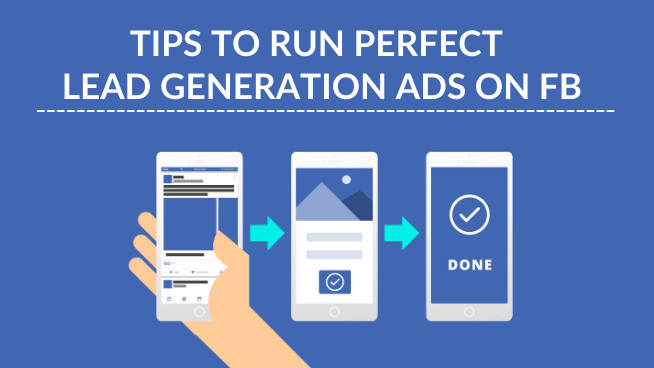
A Facebook Lead Ad is a type of ad format that allows users to submit their contact details (like name, email, phone number) without ever leaving the platform. When a user clicks on your ad, a form pops up, already pre-filled with their information, making it super convenient and conversion-friendly.
Essential Before You Begin
Before you launch your first Facebook lead ad, ensure:
- You have a Facebook Business Page.
- Your ad account is active and set up correctly.
- You have a privacy policy URL (Facebook requires this to ensure user data protection).
- You know what type of lead info you want: email signups, phone numbers, job titles, etc.
Step-by-Step Guide to Create a Facebook Lead Ad
Step 1: Go to Meta Ads Manager
Visit Meta Ads Manager and click “+ Create” to start a new campaign.
Step 2: Choose the Campaign Objective
Select “Leads” as your campaign objective. This tells Meta that your goal is to collect contact information.
Step 3: Set Up Campaign Details
- Name your campaign (something easy to track).
- Toggle on or off A/B testing and Campaign Budget Optimization (CBO) based on your needs.
Step 4: Define Your Ad Set
At the ad set level, configure the following:
- Conversion Location: Choose Instant Forms.
- Facebook Page: Select your business page.
- Budget and Schedule: Choose daily/lifetime budget and campaign duration.
- Audience: Define your ideal target (custom audience, lookalike, or detailed targeting).
- Placements: Choose Manual Placements if you want control over where the ad shows (Facebook, Instagram, Stories, etc.).
Step 5: Create Your Lead Form
This is the heart of your lead ad.
Click “+ New Form” and configure:
- Form Type: Choose More Volume (shorter, easier) or Higher Intent (adds a review step).
- Intro: Add a compelling message and image/video.
- Questions: Choose from standard questions (name, email) or add custom ones.
- Privacy Policy: Paste your policy URL and link text.
- Thank You Screen: Add a short confirmation message and optional link (e.g., to your website).
Pro Tip: Keep your form short and mobile-friendly.
Step 6: Create the Ad Creative
- Format: Choose single image, carousel, or video.
- Primary Text: Craft a compelling caption.
- Headline: A strong call to action (e.g., “Get Your Free Quote”).
- Call to Action (CTA): Choose “Sign Up,” “Get Quote,” “Learn More,” etc.
- Media: Upload eye-catching visuals or videos.
Step 7: Review and Publish
Double-check your setup and click “Publish” when you’re ready. Your ad will go through Facebook’s review process, which usually takes a few hours.
Where to Find Your Leads
After your ad is live and collecting leads, go to:
Meta Business Suite → Leads Center
Or download them manually from your Page’s “Publishing Tools” > “Forms Library”.
You can also integrate with a CRM or use a tool like Zapier to automate lead delivery to your email or spreadsheet.
Tips to Maximize Results
- Use video ads: They tend to get higher engagement.
- Test multiple creatives: Run A/B tests for better performance.
- Retarget leads: Create a custom audience of people who opened but didn’t submit the form.
- Follow up quickly: Respond to leads within minutes to boost conversion rates.
Final Thoughts
Facebook Lead Ads are an efficient, user-friendly way to collect leads without forcing users to leave their favorite platform. Whether you’re a small business or an enterprise, this format can help you lower acquisition costs and increase qualified leads.
Start small, test everything, and scale what works. Happy lead generation!
Have questions or need help setting up your lead campaign? Let us know in the comments or contact our team for expert assistance.